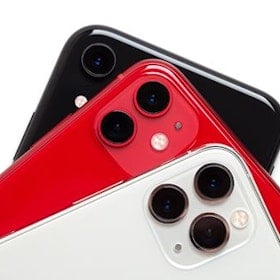
Apple Intelligence and Galaxy AI are two of the best artificial intelligence systems coming to smartphones. Both promise to fundamentally change how you use your device, but Apple and Samsung continue to take very different approaches.
Galaxy AI focuses on helping you complete everyday tasks faster, with features like Circle to Search, Live Translate, Note Assist, Generative Edit, and Gemini-powered assistance throughout One UI. Apple Intelligence, meanwhile, is designed to work across your entire iPhone, understanding personal context to summarize notifications, rewrite emails, create images, search your photo library, and even hand more advanced requests off to ChatGPT when needed.
We've been studying the wireless industry since 2008 and have tracked smartphone AI since both platforms launched in 2024. Below, we'll compare Apple Intelligence and Galaxy AI to help you determine which ecosystem best fits the way you use your phone.
What is smartphone AI?
Smartphone AI is an artificial intelligence system that can be used with the software and hardware on your phone. Some AI features can complete tasks for you, such as intelligently organizing your messages or supercharging your Google search. Other kinds of smartphone AI are generative, meaning your phone can create new content based on prompts. A major focus for smartphone AI platforms is now agentic features, which proactively anticipate your needs to complete tasks on your device.
The two biggest smartphone AI systems right now are Apple Intelligence and Samsung's Galaxy AI. Apple Intelligence was revealed to the world during Apple’s World Wide Developers Conference in June 2024. Galaxy AI premiered a few months earlier, in February, at the Samsung Unpacked event, which announced the Galaxy S24. Since that time, Apple and Samsung have been iterating on their AI software, incorporating it into their latest flagship devices.
Operating system AI vs. on-device AI
Smartphone AI systems can generally be divided into two types:
- Operating system AI
- On-device AI
Operating system-based AI uses the software on your phone to complete tasks. These kinds of features are available on more devices since they require a specific operating system, not major processing capabilities. Galaxy AI’s Circle to Search—which allows you to search Google by circling your screen—is an example of an operating system-based AI. While it premiered with the Galaxy S24 series, it’s tied to Android 14 and is available on every Samsung device stretching back to the Galaxy S21.
On-device AI requires specific pieces of hardware to work. This could be a newer camera lens or a particularly powerful processor. A smartphone that doesn’t have the required components can’t use that AI feature. Both Apple Intelligence and Galaxy AI now use a hybrid model that combines on-device processing with secure cloud computing. Everyday tasks like notification summaries, writing assistance, and image editing often happen directly on the device for improved privacy, while more demanding AI requests can leverage cloud processing when necessary.
Apple Intelligence
Apple’s vision for Apple Intelligence on your iPhone is a personalized and integrated system connecting every aspect of your device. It offers cross-platform functionality for the iPhone, iPad, and Mac. The goal is to complete tasks and answer questions within your “personal context.” The ultimate goal of Apple Intelligence is to reinvent Apple's Siri system to be smarter, while also adding extraneous AI-powered features within its core apps.
Essentially, Apple Intelligence will constantly monitor your apps and messages for specific information to answer questions. It can also organize your messages, photos, and emails to prioritize information it thinks is most important for your current situation. The system also has a generative side, so it can do things like create custom emojis and fix your writing. In addition, Apple has partnered with OpenAI to give Apple Intelligence access to ChatGPT integration.
Apple Intelligence is largely on-device, maintaining user privacy. Most questions you ask or tasks it completes use the information on your iPhone, keeping your data secure. If your iPhone does need outside help, Apple has created a feature called Private Cloud Compute that brings Apple’s privacy features into cloud servers, ensuring you’re still protected, even when you’re operating off your device.

Image: Apple
Apple Intelligence features
Apple Intelligence features are located throughout your iPhone and are generally interconnected.
Some of the most important Apple Intelligence features include:
- Writing Tools: System-wide AI to help rewrite, proofread, and summarize text
- Genmoji: Generates custom emojis for iMessage.
- Image Playground: Generates custom images in seconds based on your descriptions.
- ChatGPT: Generative writing integration powered by ChatGPT.
- Visual Intelligence: Uses Camera app to identify objects, look up businesses, and interact with text.
- New Siri experience: Allows Siri to utilize information from across your device to create complex answers to questions and carry on conversations. Siri can now understand onscreen context, handing off requests to ChatGPT.
- Generative AI in Photos app: Organizes your photos and searches for images using specific details.
- Clean Up: Generative photo editing feature that removes background objects from images.
- Priority Notifications: Uses on-device learning to push important notifications and alerts.
- Mail app organization: Organizes your emails and designates priority messages.
Apple Intelligence devices
Currently, Apple Intelligence is available on the iPhone 17 series, including the Pro and Pro Max models. It’s also available on older iPhone 16 and iPhone 15 Pro devices.
iPhone 17 256GB

| Description | |
|---|---|
| Screen Size | 6.3" |
| Available On | 549 Plans from 11 carriers |
| Available From |


|
| Priced From | $14 per month + $1,314 upfront |
| View Full Details |
 Apple's 2025 model featuring Improved Apple Intelligence with iOS26, custom-designed A19 Bionic chip, Brighter display with ProMotion up to 120Hz refresh rate, and the new iPhone 17 camera system.

Galaxy AI
Samsung’s vision for Galaxy AI is largely task-based. Its current version doesn’t offer the same level of integration as Apple Intelligence.
Most features you’ll find on Galaxy AI only work in specific native apps, like the Phone, Messages, or Gallery apps, though third-party app integration seems to be coming. These features—like live translations or image sharpening—are designed to increase your productivity within an app, not change your relationship with your phone. Many of them are also generative and can create new images and text, but they don’t rely on your personal information as background data.
Samsung has done a better job of creating AI features that have backward compatibility. Some Galaxy AI features are tied directly to Android 14, meaning previous Samsung devices that don’t offer the newest hardware can still run a limited version of Galaxy AI.
Galaxy AI also offers privacy protections for users, though it doesn't appear to be to the same degree as Apple. It does use cloud-based features to complete some AI tasks, which is why it is available on more devices. That said, Samsung also offers an AI dashboard that allows you to disable some tasks from using cloud servers.
Since launching with the Galaxy S24, Samsung has significantly expanded Galaxy AI through One UI updates. The platform now integrates more closely with Google's Gemini AI assistant while adding deeper productivity tools, better photo editing, and smarter cross-app actions than were available at launch.

Image: Samsung
Galaxy AI features
Most Galaxy AI features are within Samsung’s native apps or available in your phone's settings. Some of the Galaxy AI features include:
Some of the Galaxy AI features include:
- Composer — Generates emails, messages, and social posts based on a short prompt and your preferred writing tone.
- AI Portraits — Transforms portrait photos into stylized artistic images using generative AI.
- AI Wallpapers — Creates custom wallpapers based on themes, colours, or text prompts.
- Writing Assist — Proofreads, rewrites, summarizes, or changes the tone of text directly on your device.
- Browsing Assist — Summarizes web pages and translates articles so you can get key information faster.
- Transcript Assist — Converts voice recordings into searchable transcripts with AI-generated summaries.
- Audio Eraser — Removes unwanted background sounds like wind, traffic, or crowds from videos.
- Now Brief — Delivers personalized daily updates, including weather, calendar events, reminders, and travel information.
- AI Select — Recognizes on-screen content and recommends relevant AI actions like summarizing, translating, or creating GIFs.
- Gemini Live — Lets you have natural, conversational voice chats with Google's Gemini AI assistant.
- Cross-app actions — Completes tasks across multiple apps with a single voice or text request, reducing manual steps.
- Portrait Studio — Generates artistic portrait variations from your selfies in styles like sketch, cartoon, or painting.
- Circle to Search — Circle, tap, or highlight anything on your screen to instantly search it with Google.
- Interpreter — Provides real-time two-way translations for face-to-face conversations using split-screen mode.
- Generative Edit — Removes, moves, or resizes objects in photos while AI fills in the background naturally.
- Sketch to Image — Turns simple sketches into detailed AI-generated artwork.
- Instant Slow-mo — Uses AI-generated frames to create smooth slow-motion video from existing footage.
Galaxy AI devices
The latest S26 series and Galaxy Z Fold 8 series both heavily utilize Galaxy AI.
- Galaxy S26 series
- Galaxy Z Fold8 Ultra
- Galaxy Z Fold8
- Galaxy Z Flip8
- Galaxy S25 series
- Galaxy Z Fold7
- Galaxy Z Flip7
- Galaxy S24 series
- Galaxy Z Fold6
- Galaxy Z Flip6
Samsung Galaxy S26 5G 256GB

| Description | |
|---|---|
| Screen Size | 6.3" |
| Available On | 546 Plans from 11 carriers |
| Available From |
|
| Priced From | $14 per month + $1,514 upfront |
| View Full Details |
 Samsung’s 2026 Galaxy series phone with the most advanced AI, upgraded cameras, optimized battery life, with Gemini Live and Snapdragon Elite 8 highest processor customized for Galaxy
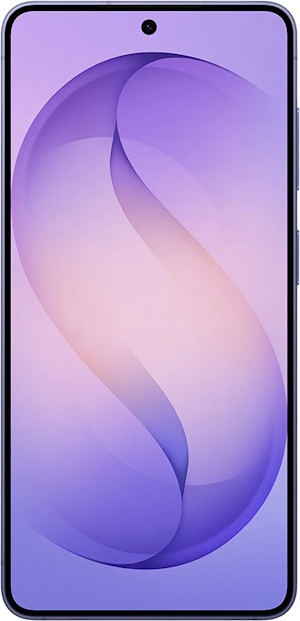
Samsung has also expanded partial Galaxy AI support to devices including the Galaxy S23 series, Galaxy S23 FE, Galaxy Z Fold5, Galaxy Z Flip5, and select Galaxy Tab models. Older devices continue to receive features like Circle to Search, though hardware limitations prevent access to the complete Galaxy AI suite.
Recap: Which smartphone AI is right for you?
Apple Intelligence and Galaxy AI have become much closer competitors than they were at launch. Apple continues to offer the more tightly integrated experience, with AI woven throughout iOS and focused heavily on privacy and personal context. Galaxy AI, meanwhile, provides a broader collection of productivity tools, stronger photo and video editing features, and deep integration with Google's Gemini platform.
If you're already invested in Apple's ecosystem and want AI that quietly works across your apps, Apple Intelligence is the better fit. If you regularly multitask, translate conversations, edit photos, or rely on Google's services, Galaxy AI currently offers the more versatile toolkit.
Steve Vegvari
Staff Writer

Thousands of cell phone plans unpacked. All the facts. No surprises.

Related Articles



Find Better Phones and Plans
Hundreds of cell phone plans unpacked. All the facts. No surprises.